


T
Telemetry
Live GPU telemetry
Utilization, memory, temperature, and power for all four L40S cards, refreshed continuously. You see the cluster as it is, not as it was when you last ran nvidia-smi.
AuraPulse-S is the desktop client we wrote for the AURA Lab's GPU server — built because our students needed a sane way to see the cluster, submit jobs, and read their logs. It is free for W&M CS students.
AuraPulse-S connects to the AURA Lab's GPU server — four NVIDIA L40S GPUs — over SSH. Telemetry, queue state, and your terminal live in a single native window — no browser tabs, no copy-pasted hostnames, no forgotten squeue flags.
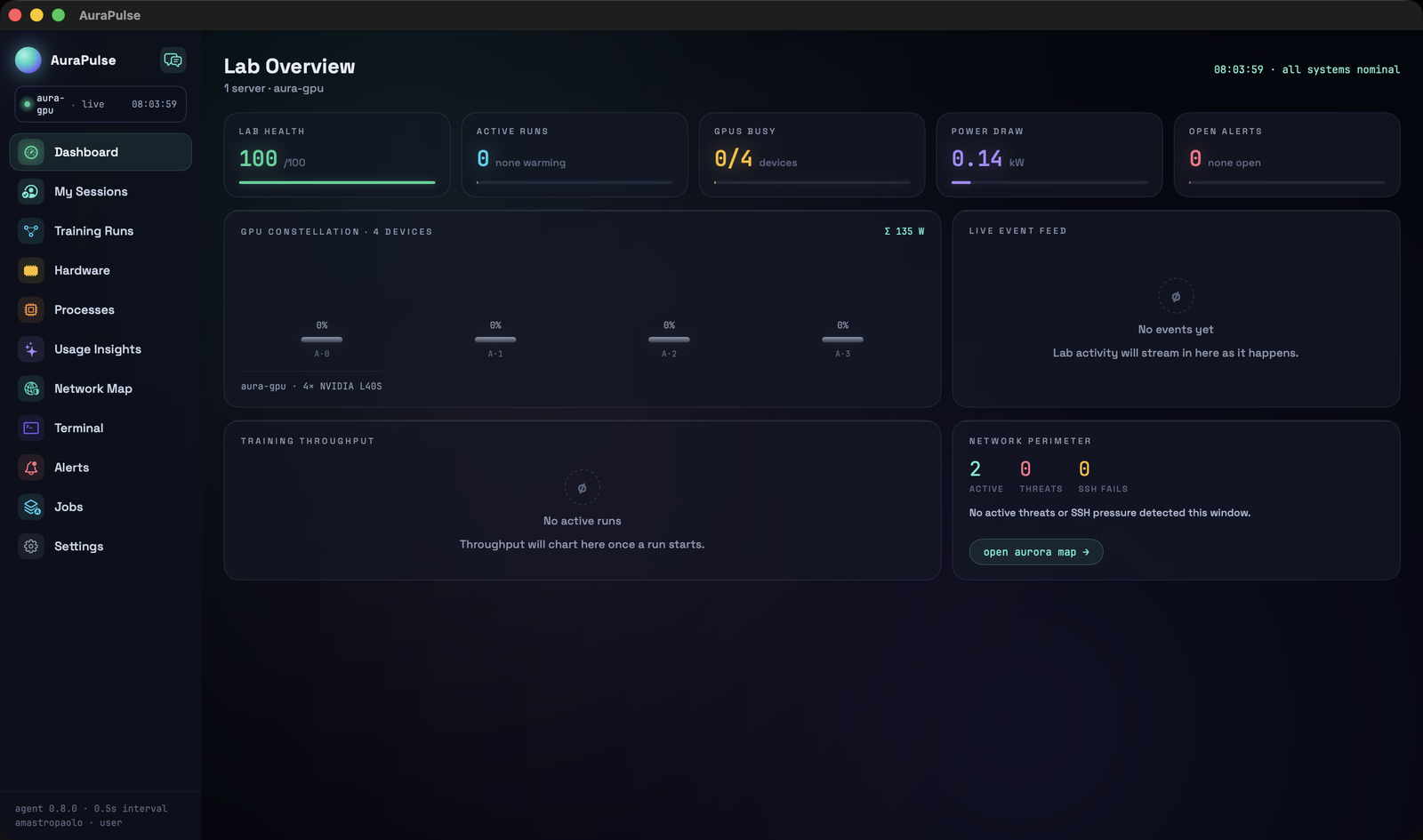
Utilization, memory, temperature, and power for all four L40S cards, refreshed continuously. You see the cluster as it is, not as it was when you last ran nvidia-smi.
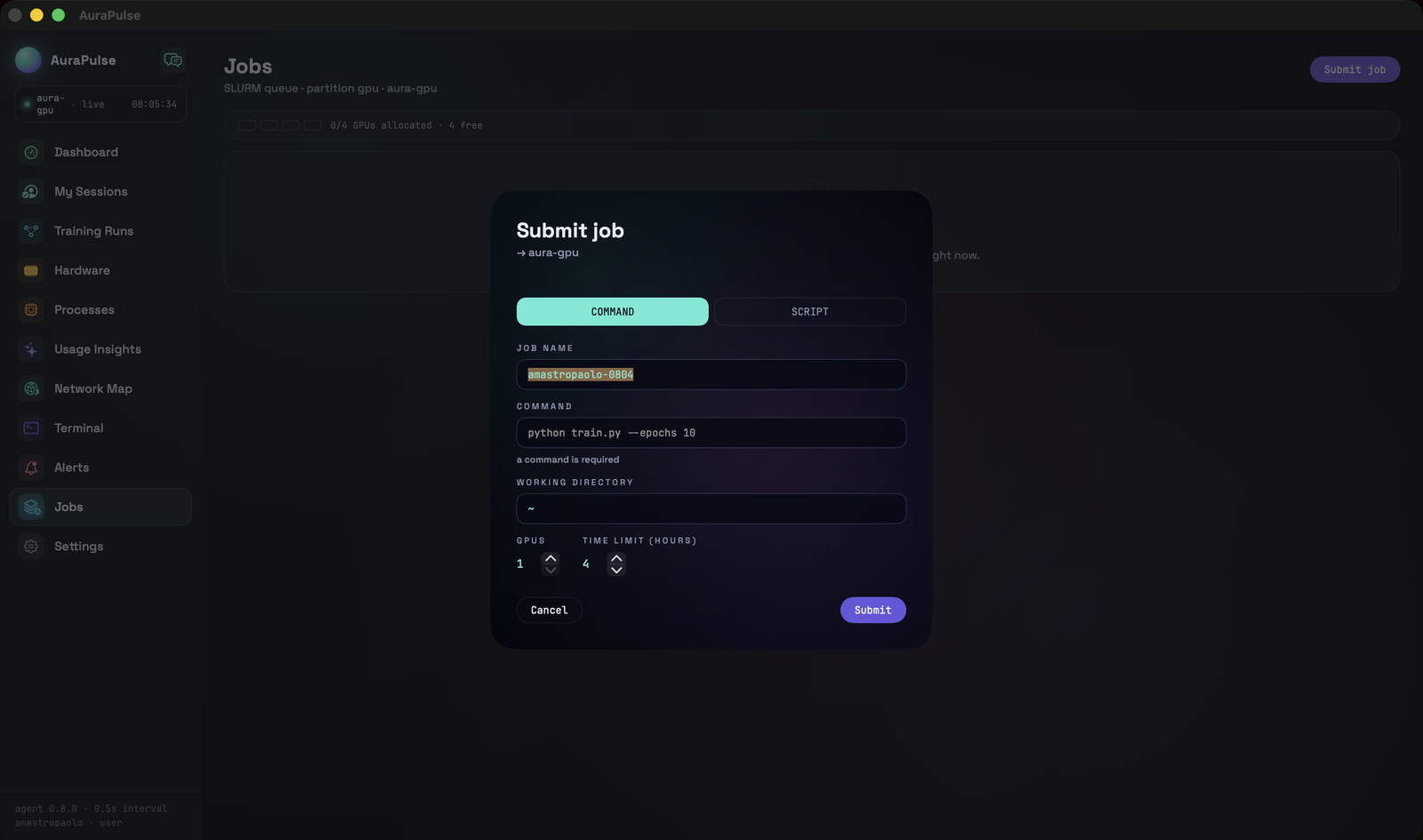
Submit jobs from the app, watch them move through the queue, and tail their logs live. Pick 1–4 GPUs, set your time limit, and AuraPulse-S writes the sbatch script for you.
The app authenticates as you and only ever shows your jobs, your files, your allocation. Credentials live in the macOS Keychain; nothing is proxied through a third party.
A full terminal session to the GPU server inside the app, for everything the GUI doesn't cover. Same connection, same credentials, one less window to manage.
Requires macOS 14 Sonoma or later on Apple Silicon. On first launch, right-click the app and choose Open — this build is self-signed, so Gatekeeper will ask once. A notarized release is on the way.
The connection wizard has the AURA GPU server prefilled. Sign in with your W&M id; the password goes into the macOS Keychain and stays there.
Pick a theme, set the launch sequence, and arrange the panels the way you work. It remembers everything.
Jobs → Submit job. Choose 1–4 GPUs, watch the queue from the dashboard, and tail the logs live while it runs.
Questions, bugs, or feature requests — email amastropaolo@wm.edu. If the server is down, the app will tell you before we do.